OCI Zero Trust Packet Routing: Quick Start Guide
Step 1
Launch OCI Zero Trust Packet Routing
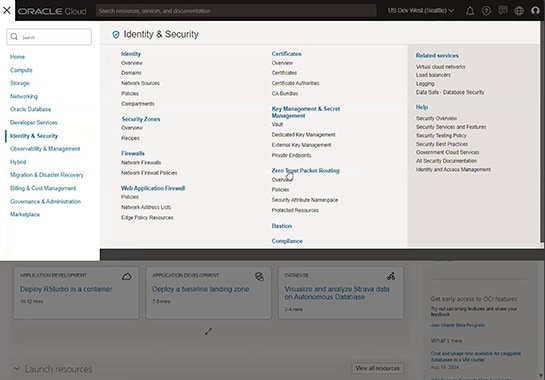
Launch OCI Zero Trust Packet Routing in the Oracle Cloud console by navigating to “Identity & Security,” then selecting “Zero Trust Packet Routing.”
Step 2
Enable OCI Zero Trust Packet Routing
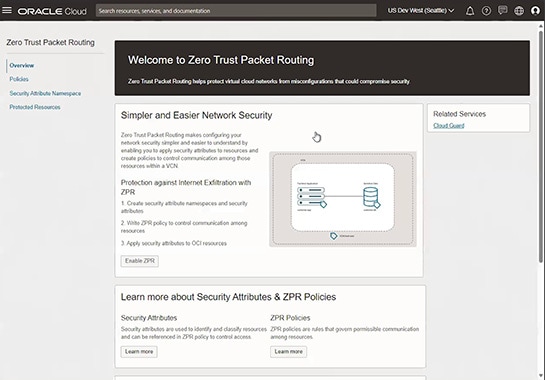
On the Zero Trust Packet Routing overview page, click “Enable ZPR.”
Step 3 (optional)
Create an OCI Zero Trust Packet Routing security attribute namespace
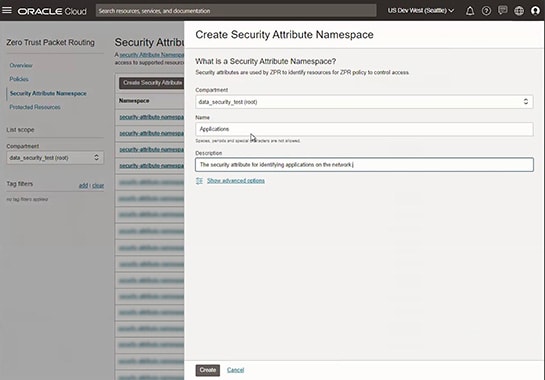
When you enable OCI Zero Trust Packet Routing, it creates a security attribute namespace in the tenancy called “Oracle-zpr” that includes an example security attribute named “Sensitivity.” You can use this default namespace or create additional namespaces by selecting “Security Attribute Namespace” from the Zero Trust Packet Routing menu, then selecting “Create Security Attribute Namespace.” You can use the filters on the landing page to list the namespaces in your tenancy.
Step 4
Create OCI Zero Trust Packet Routing security attributes
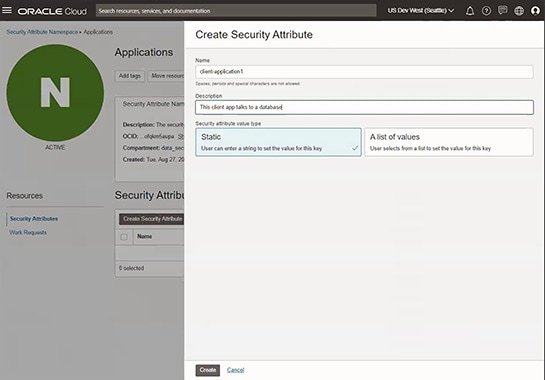
Select the appropriate namespace and click the “Create” button to add new security attributes.
Step 5
Create an OCI Zero Trust Packet Routing protected resource
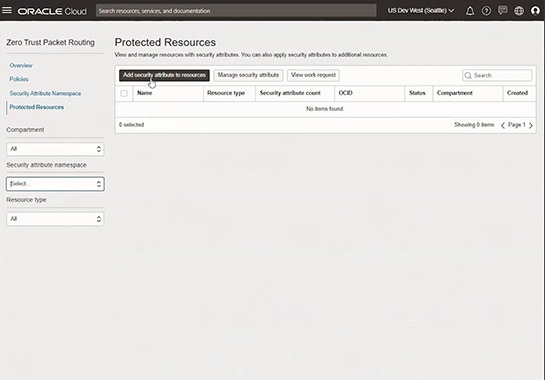
Add one or more security attributes to an OCI resource, such as a VCN, compute instance, or database, to create a protected resource. To do this, select “Protected Resources” from the left-hand menu, then click “Add security attribute to resources.” You can set the three filters on the landing page to list the protected resources.
Step 6
Create OCI Zero Trust Packet Routing policies
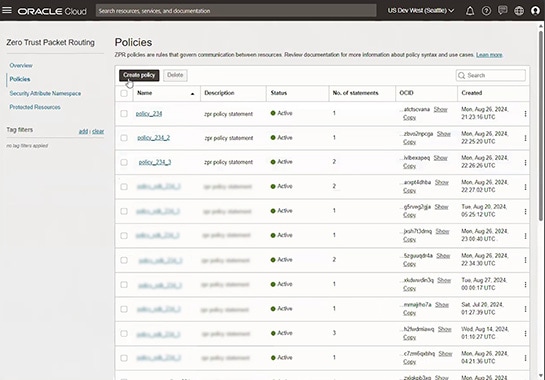
To create OCI Zero Trust Packet Routing policies, select “Policies” from the left-hand Zero Trust Packet Routing menu, then click “Create policy.” The landing page lists the policies in your tenancy.
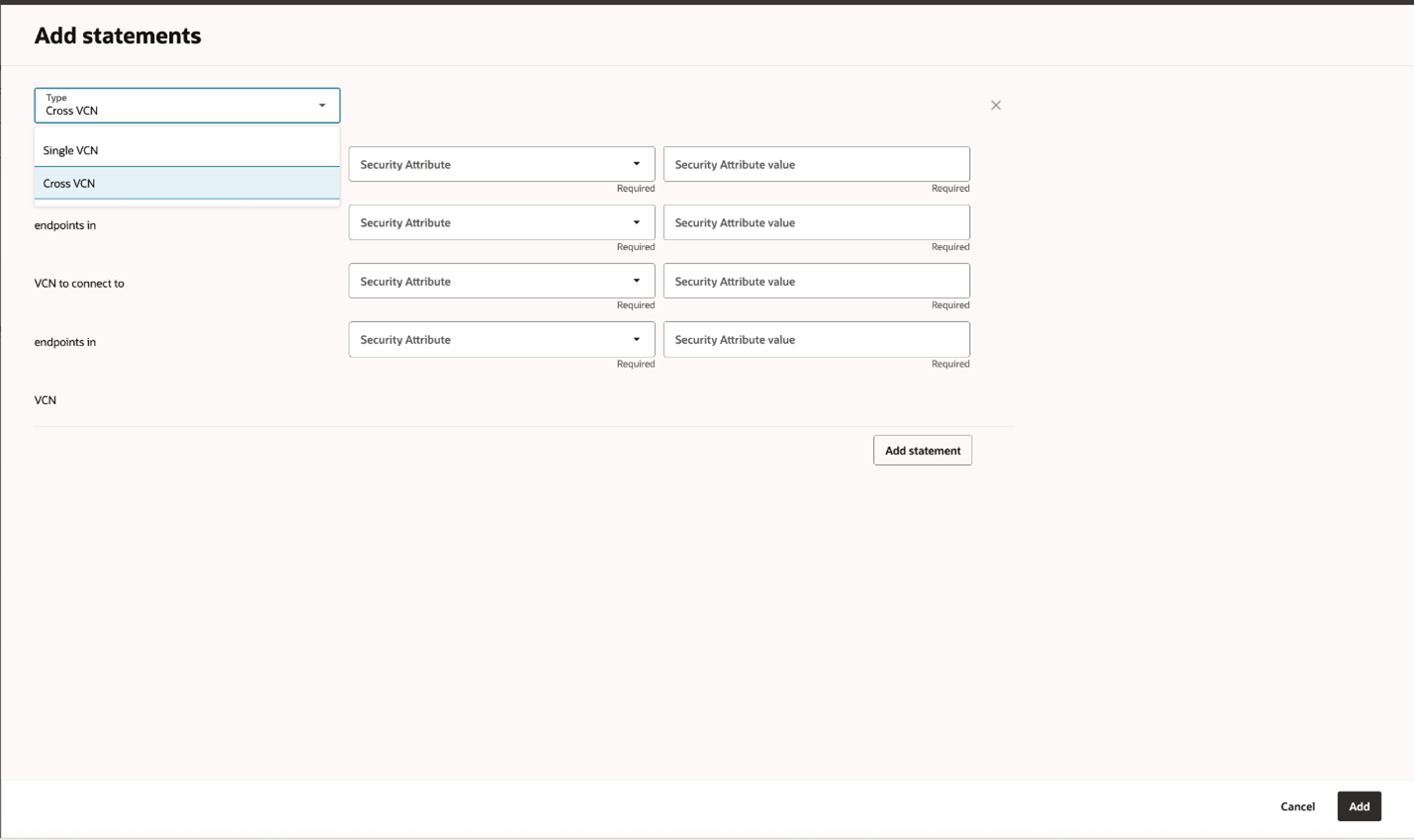
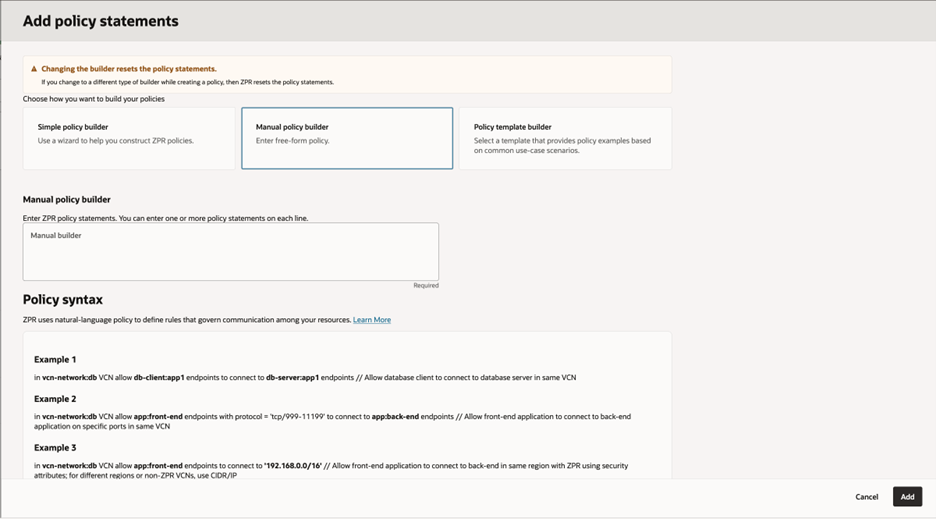
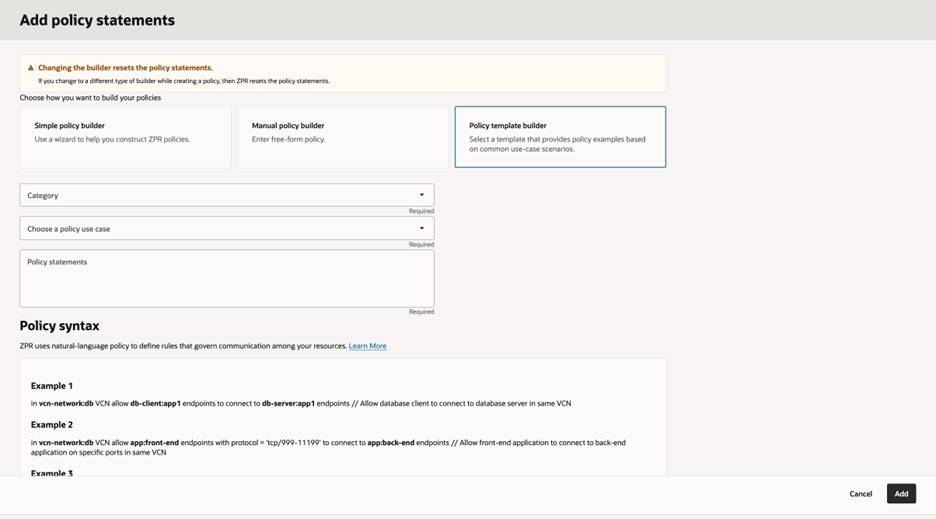
To write the OCI Zero Trust Packet Routing policies, you can use one of the following options.